
How to Choose the Right WhatsApp Business API Platforms for Bulk Messaging
Picking a WhatsApp Business API platform for bulk messaging usually comes down to one question: will your messages actually arrive? Some tools throttle broadcasts, charge per-conversation markups, or lose official Meta partner status, and any of those can stall a campaign mid-send. A side-by-side of the leading tools is at com.bot.
By the end of this article, you will know how to weigh official Meta partner status, message throughput, and delivery reliability before committing. You will also learn which broadcast, template, and automation features matter, how pricing models hide costs, and how to match a platform to your volume.
What Makes a WhatsApp Business API Platform Right for Bulk Messaging
Selecting a WhatsApp Business API platform for bulk messaging requires evaluating two critical pillars: official Meta partnership and reliable message throughput. These two factors shape everything that follows, from whether your campaigns stay compliant to whether they actually reach recipients at scale.
A platform's Meta partner status determines its legal and technical standing with WhatsApp. Without it, a provider may be reselling access through unofficial channels, which puts your business account at risk. With it, you get a direct line to the API and a partner accountable to Meta's rules.
Message throughput determines how fast and how reliably your campaigns go out. A platform can be fully compliant yet still buckle under the weight of a large send, leaving messages queued for hours or dropped entirely.
These pillars reinforce each other. Compliance keeps your number alive, while throughput keeps your campaigns moving. A weakness in either one undermines the entire bulk messaging operation, which is why the sections below examine each in detail.
Official Meta Partner Status and Compliance
Official Meta Business Partner status is non-negotiable for bulk messaging platforms because it ensures direct API access, compliance with WhatsApp policies, and protection against sudden service disruptions. Providers with this status are often called a WhatsApp Business Solution Provider, or BSP.
Com.bot holds Official Meta Business Partner status, which places it among providers with a direct working relationship with Meta rather than a reseller arrangement. This matters for any business running high-volume campaigns.
Compliance for bulk messaging rests on several requirements:
- Opt-in collection: recipients must agree to receive messages before you send them
- Double opt-in: a best practice where users confirm consent a second time, strengthening your legal position
- GDPR and data privacy: consent records, data handling, and storage must meet applicable privacy law
- Template message approval: business-initiated messages must use pre-approved templates
Consider the difference in practice. A compliant sender collects consent at checkout, logs it, and sends only approved templates. A non-compliant sender buys a contact list, blasts promotional text, and ignores the 24-hour window. The first builds a durable channel. The second invites blocks and reports.
Platforms without official status risk account bans or message filtering. Messages may be silently throttled, or your number may be restricted without warning. Enterprise security features such as end-to-end encryption also depend on proper API standing.
Message Throughput and Delivery Reliability
Message throughput and delivery reliability determine how many messages a platform can send per second and whether they reach recipients without delays or failures. Throughput is measured in messages per second, while delivery rate reflects the share that successfully arrive.
Every platform operates under API rate limits and throughput limits set by Meta and by the provider's own infrastructure. When a campaign exceeds those limits, messages enter a message queue and wait. Poor queue management turns a fast campaign into a slow trickle.
For large-scale sends, throughput benchmarks matter. A platform suited to enterprise messaging should handle high sustained volumes. Com.bot processes 25M+ Messages/Day, a volume that reflects capacity for sustained bulk campaigns.
Uptime and service level agreements round out reliability. Look for:
- A published uptime SLA with clear remedies for downtime
- Redundant infrastructure across regions
- Real-time delivery reporting so failures surface quickly
- Queue visibility during peak sends
Before committing, test throughput directly. Run a staged campaign to a small segment, watch how quickly messages move through the queue, and compare reported delivery against what recipients confirm. Ask the provider for documentation of their rate limits rather than relying on marketing claims.
Scalability should hold as volume grows. A platform that performs well at low volume may struggle during a peak send, so confirm that throughput limits scale with your needs.
Key Features to Evaluate Before You Commit
Beyond compliance and throughput, the feature set of a WhatsApp Business API platform dictates how effectively you can create, automate, and scale bulk messaging campaigns.
A platform might clear every regulatory hurdle and still fall short if its tools slow your team down. Feature depth separates platforms that merely send messages from those that run entire customer journeys. That difference shows up in campaign speed, personalization quality, and how much manual work your team absorbs.
Several capability areas deserve close scrutiny during platform selection:
- Bulk broadcast tools for list management, scheduling, and send throttling
- Template management for creating, submitting, and tracking message templates
- Personalization through dynamic fields and media support
- Automation and chatbots for responses and workflow triggers
- Integrations with CRM, e-commerce, helpdesk, and custom systems
Each area affects both campaign efficiency and the customer experience on the other end. A weak template workflow delays every launch. Poor personalization makes bulk messaging feel like spam. Missing integrations force manual data entry that invites errors.
Evaluate these features against your actual workflows, not a generic checklist. A support-heavy business needs different strengths than a retail brand running promotions. The next two sections break down what to examine in each category.
Bulk Broadcast Tools, Templates, and Personalization
Effective bulk broadcast tools allow you to send personalized template messages to thousands of opted-in users while respecting WhatsApp's 24-hour session window.
Understanding the two message types is foundational. Template messages are pre-approved by Meta and can be sent outside the 24-hour window, which makes them the backbone of bulk messaging. Session messages are free-form replies allowed only within 24 hours of a user's last message. A capable platform handles both without confusion.
List management matters just as much. Look for tools that segment audiences, track opt-in status, and support double opt-in for stronger user consent records. Scheduling features let you time campaigns across time zones, while throttling controls spread sends to protect your delivery rate and stay within API rate limits.
Personalization turns a broadcast into a relevant message. Dynamic fields can pull in a customer's name, order history, or purchase details. Media support for images, documents, and buttons adds further context. Platforms such as Com.bot combine bulk messaging with template-driven order updates and notifications, which shows how these pieces work together in practice.
Best practices for opt-in management are non-negotiable. Send only to users who consented, make opting out easy, and monitor spam reports closely. A spike in reports can degrade your number's quality rating and hurt future delivery. Relevance and restraint are the strongest defenses against complaints.
Automation, Chatbot, and Integration Capabilities
Automation, chatbots, and integrations transform bulk messaging from one-way blasts into interactive, responsive customer journeys.
Automation features to assess include chatbots, auto-replies, and workflow triggers. These determine what happens after a message lands. Does a reply route to a human? Does a keyword start a sequence? The strength of these tools decides whether your team scales or drowns in manual responses.
Common automated flows worth mapping during evaluation include:
- Order confirmations sent the moment a purchase completes
- Abandoned cart reminders that nudge shoppers back
- Payment collection prompts tied to a transaction
- Support triage that answers common questions instantly
Integration capabilities are equally important. Check whether the platform connects to your CRM, e-commerce stack, and helpdesk, and whether it offers custom APIs or webhooks for systems it does not natively support. Com.bot, for example, provides an Automation Builder with 1000+ integrations alongside a Visual Bot Builder with a drag-and-drop interface.
Also consider how the platform supports your team day to day. A Unified Team Inbox with role-based access keeps conversations organized across agents. Multi-channel support for WhatsApp, Facebook, and Instagram means one platform can cover several touchpoints. Native payments for WhatsApp transactions can close the loop on purchases without leaving the chat.
Evaluate these capabilities against your real workflows. A bot builder you can actually use beats a more powerful one your team avoids.
Pricing Models: What You Actually Pay For
WhatsApp Business API pricing combines Meta's conversation-based fees with platform subscription and markup charges, so understanding the full cost structure is essential. Many buyers compare only the headline subscription price and overlook the per-conversation layer that sits underneath it.
Meta charges for each conversation category, and the WhatsApp Business Solution Provider (BSP) or API provider you choose adds its own charges on top. That second layer is where pricing models diverge sharply between vendors.
Most platforms fall into one of three structures:
- Subscription tiers with a fixed quarterly or monthly fee and included usage
- Per-message markups applied on top of Meta's base rates
- Hybrid models that combine a subscription with usage-based charges
A hybrid model is the most common in enterprise messaging, but it is also the hardest to forecast. The subscription portion is predictable. The usage portion depends on how many conversations you send and which categories they fall into.
Some providers take a different approach. Com.bot, for example, charges WhatsApp messaging at actual Meta rates with no markup, and instead earns revenue through quarterly plans: Silver at $149 per quarter, Gold at $349 per quarter, and Platinum V1 at $2500 per quarter. That structure shifts the comparison from "who marks up least" to "what does the plan include."
Watch for hidden charges regardless of the model. Setup costs, template approval fees, and overage charges can add meaningfully to your total. The next sections break down exactly where those costs appear and how they scale.
Conversation Markups, Plan Tiers, and Hidden Costs
Platforms often add a markup on Meta's per-conversation fees and charge monthly or quarterly subscription fees, so you must scrutinize plan tiers and potential hidden costs. Meta bills by conversation category, and each carries a different base rate.
The four categories are:
- Marketing conversations, typically the highest rate
- Utility conversations, such as order updates
- Authentication conversations, used for one-time passcodes
- Service conversations, initiated by the customer
Markups vary widely. Some providers apply a percentage on top of Meta's rate, and that percentage compounds quickly at volume. A provider charging no markup passes Meta's rate through directly, which makes the subscription fee the real cost driver.
Plan tiers usually follow a starter, growth, and enterprise pattern. Starter tiers cap agent seats or monthly conversations. Growth tiers add automation and integrations. Enterprise tiers remove limits and add contract terms.
Common hidden charges include:
- One-time setup or onboarding fees
- Template approval or submission fees
- Overage charges when you exceed included volume
- Paid add-ons for features bundled elsewhere
Consider a 10,000-conversation month. Meta's base fees apply to every conversation. A provider with a 20% markup adds a fifth of that total on top. A provider with no markup adds nothing, and your cost is the plan fee plus Meta's rate. Run this comparison against your own volume before signing anything.
Scalability and Add-On Pricing as You Grow
As your message volume and team size grow, add-on pricing for extra users, channels, and actions can significantly impact your total cost of ownership. A plan that looks affordable at ten agents can become expensive at fifty.
Pricing typically scales along three axes: message volume, number of agents, and additional channels. Volume-based scaling is the most predictable if your provider passes through Meta's rates. Seat-based scaling is where per-user charges accumulate quietly.
Com.bot illustrates how add-ons are commonly structured: $10 per month for each additional team member, social channel, external actions per 5000, bot triggers per 25000, and ecom store. Dedicated support is billed separately at $49 per hour for WABA, CRM, and Inbox work, and $99 per hour for Ecommerce, Bots, and Automations.
When forecasting, build a model for your expected growth over twelve months, not just your current state. Add the plan fee, per-user add-ons, channel add-ons, and any usage-based charges. Then stress-test it at double your current volume.
For enterprise contracts, several terms are worth negotiating:
- Volume commitments in exchange for rate locks
- Bundled seats rather than per-user billing
- Caps on overage charges
- Clear definitions of what counts as a billable conversation
Transparent pricing matters more than the lowest sticker price. A provider that publishes its plan tiers, add-on rates, and markup policy lets you forecast accurately. One that quotes only a subscription fee leaves the real cost unknown until the first invoice arrives. Ask for a full cost breakdown in writing before you commit, and confirm which currency you will be billed in.
Security, Support, and Uptime Standards
Security, support, and uptime standards are non-negotiable for any platform handling sensitive customer communications at scale. When your business sends bulk messaging through the WhatsApp Business API, every message carries customer data, order details, or personal identifiers. A weak link in encryption, storage, or compliance can expose your brand to regulatory penalties and lost trust.
These three pillars also determine whether your messaging operation stays reliable during peak demand. A platform with strong features but poor uptime or slow support can stall campaigns exactly when they matter most. Evaluate them with the same rigor you apply to pricing and throughput.
End-to-end encryption protects message content as it travels between sender and recipient. Meta builds this into the WhatsApp Business API itself, so the real question is how a provider handles data at rest and in transit on its own systems. Look for encryption of stored message logs, credentials, and customer records.
Data privacy compliance matters just as much. If you serve customers in the EU, GDPR governs how you collect, store, and process personal data. Similar rules apply under other regional frameworks. Confirm where data is hosted, how long it is retained, and whether the provider supports data deletion requests.
Ask providers directly about their compliance posture. A serious API provider should answer without hesitation and back it up with documentation.
- Whether message content and metadata are encrypted at rest and in transit
- Data residency options and where servers are physically located
- Retention policies and how data is deleted after the retention window
- Support for GDPR, and other regional privacy frameworks
- Audit logs that track who accessed customer data and when
- Role-based access controls for your internal team
Uptime is the second pillar. A service level agreement (SLA) states the guaranteed availability, often expressed as a percentage. Many enterprise-grade providers commit to 99.9% or higher, which translates to only a few hours of downtime per year.
The percentage alone is not enough. Check how the SLA is enforced. Does the provider offer service credits when availability drops below the threshold? Are there exclusions that let the provider avoid responsibility during "scheduled maintenance" or "force majeure" events?
Also ask how uptime is measured. Is it monitored independently, or self-reported? A credible provider publishes a status page and shares historical performance. For bulk messaging, downtime means queued messages, delayed delivery, and frustrated customers.
Support quality rounds out the picture. 24/7 support matters for businesses sending time-sensitive messages across multiple time zones. Business-hours-only support may leave you waiting overnight when a campaign fails.
Beyond availability, look at depth. A dedicated account manager helps with onboarding, template approval, and escalations. Tiered support models often route technical issues to specialists faster than a general help desk.
Response time commitments should be written into the contract. Ask about average first-response times, escalation paths, and whether support is included or billed separately. Some providers charge extra for priority support, which affects total cost.
Use this checklist when comparing platforms:
| Area | What to Confirm |
|---|---|
| Encryption | Data encrypted at rest and in transit; end-to-end encryption on message content |
| Compliance | GDPR and regional privacy support; documented data handling policies |
| Data storage | Data residency options; retention and deletion policies |
| Access control | Role-based permissions; audit logs of data access |
| Uptime SLA | 99.9% or higher; service credits; clear exclusions |
| Monitoring | Public status page; independent or transparent measurement |
| Support hours | 24/7 versus business hours; coverage across your time zones |
| Support depth | Dedicated account manager; technical escalation paths |
| Response times | Written first-response and resolution commitments |
Run through this list before signing. A provider that hesitates on encryption, compliance, or SLA enforcement is a risk you do not need to take with enterprise messaging.
How Com.bot Fits as a Bulk Messaging Platform
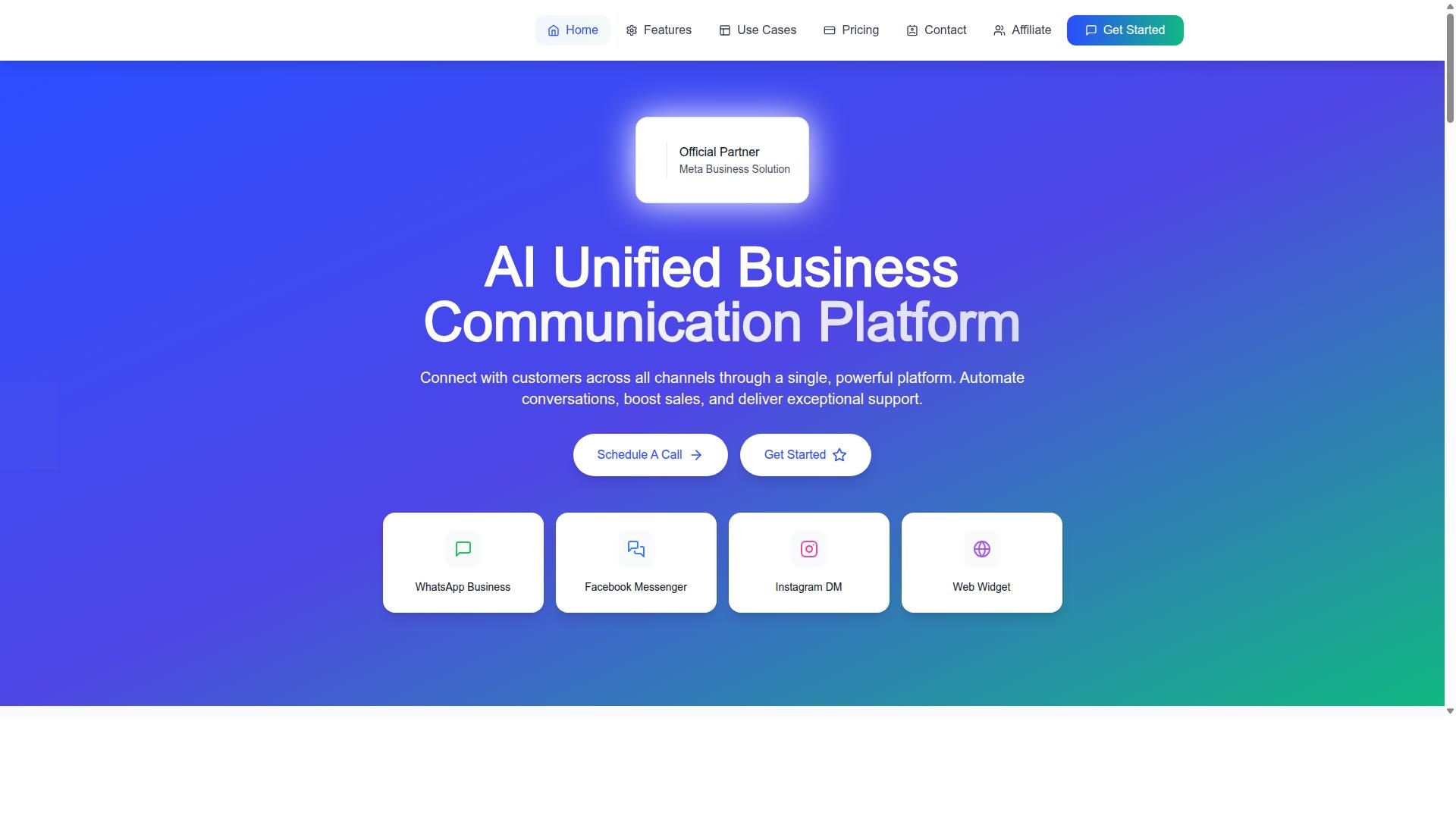
Com.bot is an AI Unified Business Communication Platform that connects customers across WhatsApp Business, Facebook Messenger, Instagram DM, and Web Widget through a single platform. It is built for businesses that want to run bulk messaging alongside everyday customer conversations without juggling separate tools.
Its standing as an Official Meta Business Partner matters here. That status comes with direct WhatsApp Business API integration, which is the same channel structure enterprises rely on for verified sender identity and template-based outreach. For teams comparing a WhatsApp Business Solution Provider, this removes a layer of middleware that often adds cost and delay.
Several capabilities separate Com.bot from a basic broadcast tool:
- Unified inbox that keeps WhatsApp, Messenger, Instagram, and web chats in one view
- Visual bot builder for automating replies and routing without writing code
- Native payments so transactions can happen inside the conversation flow
- Automation of conversations, sales boosting, and support delivery as core platform goals
For a bulk messaging operation, the unified inbox is the practical differentiator. High-volume template messages generate replies, and those replies need a home. When every channel lands in one place, agents can handle the 24-hour window without switching tabs or losing context.
The visual bot builder addresses a different problem: scale without headcount. Automated flows can absorb first responses and qualifying questions, which keeps human agents focused on conversations that need a person. Native payments close the loop by letting a chat turn into a completed sale. Together these features position Com.bot as a platform where bulk messaging, support, and conversion share one system rather than three.
Plans, Pricing, and Global Availability
Com.bot offers three quarterly plans: Silver at $149, Gold at $349 (recommended), and Platinum at $2500, with add-ons like extra team members or social channels at $10 per month. Pricing is listed in USD, and the site offers an INR toggle, so buyers should verify the currency that applies to their account.
| Plan | Price | Notes |
|---|---|---|
| Silver | $149 per quarter | Entry tier |
| Gold | $349 per quarter | Recommended |
| Platinum V1 | $2500 per quarter | Highest tier |
Add-ons run at $10 per month for an additional team member, social channel, external actions (per 5000), bot triggers (per 25000), or ecom store. This modular structure suits teams that scale one dimension at a time instead of jumping to a higher tier.
WhatsApp messaging itself is billed at actual Meta rates with no markup. That is a meaningful detail when comparing pricing models, because many providers bundle conversation costs into their own margins. Paying Meta's published rate keeps per-conversation pricing predictable and separates platform fees from messaging spend.
Dedicated support is available separately at $49 per hour for WABA, CRM, and Inbox help, and $99 per hour for Ecommerce, Bots, and Automations. Teams weighing setup cost should factor these rates in only if they expect hands-on assistance.
On availability, Com.bot is offered worldwide online and serves 50+ countries. That global reach matters for cross-border bulk messaging, where sender registration and compliance requirements vary by market. Buyers should confirm feature inclusions per plan directly with the vendor, since tier details can change.
Checklist: Matching a Platform to Your Business Needs
Use this checklist to match a WhatsApp Business API platform to your specific bulk messaging requirements, from compliance to cost. Each item includes a quick evaluation question you can ask a vendor before committing.
A structured comparison beats a feature-by-feature scan. It forces you to weigh compliance, reliability, and total cost against how your team actually sends messages.
- Meta partner status: Is the vendor an official WhatsApp Business Solution Provider (BSP) listed by Meta?
- Throughput and uptime: What message throughput limits and uptime SLA does the platform guarantee?
- Bulk broadcast features: Does it support template messages, scheduling, and audience segmentation at scale?
- Automation and integrations: Can it connect to your CRM, helpdesk, or e-commerce stack without custom builds?
- Pricing transparency: Are per-conversation, per-message, and subscription fees stated upfront with no hidden charges?
- Security and compliance: Does it enforce opt-in, user consent, and data privacy standards like GDPR?
- Support: What channels and response times are offered when something breaks mid-campaign?
- Scalability: Will the platform handle your projected volume without throttling or queue delays?
Work through the list in order. Compliance and reliability come first because they are hard to fix later. Cost and convenience come last because they are easier to negotiate.
For each item, push for specifics rather than marketing language. A vendor that answers clearly is usually a vendor that operates clearly.
If you want to see how these criteria apply in practice, you can contact Com.bot for a personalized demo or trial. Reach the team at sales@com.bot, call or message +91 080 6987 1810, or visit the head office at 501, Trinity Orion, Vesu Main Road, Surat - 395010, IN. Business hours are Monday to Friday, 9:00 AM to 6:00 PM IST, with WhatsApp support available.