
Karo.bot vs Tasks.Bot for Form Filling Automation
Your team is still retyping form answers from WhatsApp messages into a spreadsheet. Every voice note, photo, and field update arrives as raw text someone has to clean up and log by hand. That manual step is where entries get missed and reports run late.
This comparison covers how Tasks.Bot captures form data inside WhatsApp using voice notes, natural language, and approvals, plus GPS tracking and face-verified attendance for field teams. You will also see its pricing, beta status, and free trial, so you can decide whether it fits your form filling workflow.
What Is Tasks.Bot?
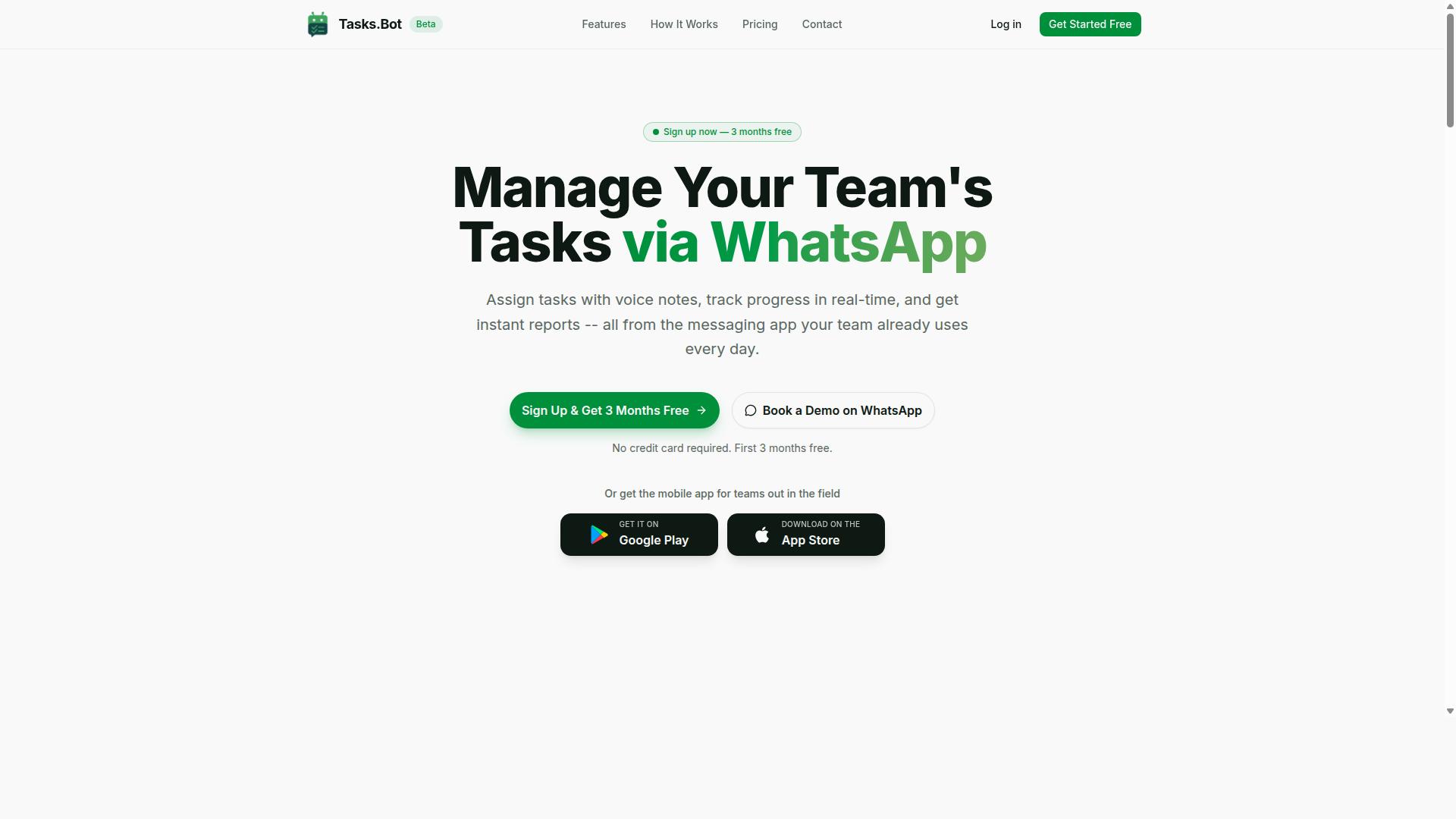
Tasks.Bot is a task management platform that operates entirely within WhatsApp, allowing teams to assign tasks, track progress, and receive reports without leaving the messaging app. Its core purpose is simple: bring everyday work coordination into the tool people already open dozens of times a day.
For teams that rely on WhatsApp-based task management, the appeal is adoption without friction. There are no new app installs or account creation steps required for the core experience, which means a field crew or sales team can start using it in the same chat thread they already use to talk to each other.
Beyond messaging, Tasks.Bot also offers a mobile app for field teams, available for Android and iOS, with push notifications, voice capture, and a home screen widget. The service is currently in beta and offers a free trial period, so teams can evaluate whether WhatsApp-native task management fits their workflow before committing.
The platform's feature set centers on practical, day-to-day operations rather than abstract project planning. That includes task management via WhatsApp with features such as voice note task creation, automatic task assignment, smart deadline reminders, approvals and automations, instant reports, tasks on a map, a live day tracker, face-verified attendance, and shifts, leave, and hours management. Native WhatsApp integration ties it all together, with AI used to understand user intent and create tasks from messages.
How Tasks.Bot Handles Form Filling and Data Capture via WhatsApp
Tasks.Bot leverages WhatsApp's ubiquity to turn routine conversations into structured data entries, using AI to interpret natural language and voice notes for form filling and data capture. Instead of asking a field agent to open a web form after a job, the platform treats the message itself as the input.
A user sends a message or a voice note in WhatsApp, and Tasks.Bot uses AI to understand user intent and create tasks from messages. This is a form of conversational AI applied to data entry, where intent recognition replaces dropdowns and text boxes.
For field teams, this changes the shape of the job. Traditional web forms assume a worker will stop, find a device, open a browser, and type responses into a questionnaire. A WhatsApp-based approach removes those steps. The agent simply describes what happened, and the platform handles the data extraction and field mapping behind the scenes.
Consider a concrete example. A field agent finishes a delivery and sends a voice note along the lines of "delivered 20 units to the Riverside store, signed by the manager." Tasks.Bot interprets the message, identifies the relevant details, and logs it as a structured record, no separate form submission required.
Other capabilities reinforce this data capture workflow. Voice note task creation lets users speak a task into existence rather than type it. Automatic task assignment routes work without manual sorting. Smart deadline reminders keep records moving. Instant reports turn captured data into something a manager can review quickly, and tasks on a map give location context to entries logged in the field.
The result is a lower barrier to accurate data. When the capture method matches how people already communicate, the gap between an event happening and that event being recorded tends to shrink. Tasks.Bot's approach is built around that idea: no separate app, just WhatsApp, with AI doing the translation from conversation to structured entry.
Is Tasks.Bot the Better Choice for Form Filling Automation?
When evaluating form filling automation tools, Tasks.Bot stands out by eliminating the need for separate apps or complex setups, instead harnessing WhatsApp's familiarity to streamline data entry. For teams already communicating on WhatsApp, that means form filling automation happens in the same place as everyday conversation.
Traditional tools take a different route. A web form built in Google Forms, Typeform, JotForm, or Microsoft Forms usually requires a browser, a stable connection, and a respondent willing to sit through every field. Browser extensions and RPA platforms can push data into forms automatically, but they often demand configuration, field mapping, and ongoing maintenance when a page layout changes.
Tasks.Bot approaches the problem from the conversation side. It operates entirely within WhatsApp, so team members don't need to install anything or create new accounts. The AI understands natural language and voice notes, which means a field worker can describe a completed job in plain speech and let the system handle the rest.
That difference matters most when the people submitting data are not sitting at a desk. Consider the scenarios where Tasks.Bot fits naturally:
- Field teams who need to log visits, deliveries, or inspections without opening a laptop
- Remote workers who already run their day through WhatsApp chats
- Teams without IT support who want task automation without a no-code builder learning curve
Tasks.Bot also brings capabilities that a plain web form rarely offers. It provides face-verified attendance and live GPS tracking for field staff, which gives managers confirmation that submissions come from the right person at the right place. Enterprise-grade encryption protects the data, and conversations and task data are never shared or used for training.
Compare that to a dedicated form builder. A well-designed Typeform or JotForm can handle intricate branching logic, conditional questions, and strict validation rules. Those tools shine when a form has dozens of interdependent fields or must feed a CRM through an API integration or webhook. Tasks.Bot is not positioned to replace that level of structural complexity.
The honest trade-off is simplicity versus depth. If your process involves multi-step approval chains, calculated fields, or heavy document processing with OCR, a dedicated platform may serve you better. If your goal is fast data entry from people who are mobile, busy, or resistant to new software, the conversational route removes most of the friction.
There is also a practical onboarding advantage. Because Tasks.Bot lives inside an app your team already uses, adoption does not depend on training sessions or password resets. A new hire can start submitting information on day one with nothing more than a phone number.
Cost and commitment are worth weighing too. Tasks.Bot offers a 3-month free trial with no credit card required, which lets a team test the conversational approach against its current process before deciding. That is a low-risk way to see whether natural language input covers the forms you actually fill out.
For many organizations, the answer is not either-or. A conversational AI agent can handle the quick, frequent submissions, while a structured form builder handles the rare, complex ones. Tasks.Bot earns its place as the faster option for the everyday majority of form submission needs.
The verdict leans clearly in favor of Tasks.Bot for teams that value speed, low setup effort, and tools their people will actually use. It will not out-feature a dedicated form builder on intricate logic, and it does not try to. What it does deliver is dependable task automation through a channel your team already trusts, with the security and verification features that field operations require.
Key Features That Support Form Filling Automation
Tasks.Bot incorporates a range of features designed to make form filling and data capture efficient, accurate, and integrated into everyday communication. Instead of treating data entry as a separate chore, the platform folds it into the messaging tools teams already use every day.
These features work together to reduce manual data entry and the errors that come with it. Voice notes become structured records, field activity is logged automatically, and approvals keep everything accurate before it is finalized.
Unlike a standalone bot builder that focuses on conversational AI alone, Tasks.Bot pairs natural language processing with verification and tracking tools. That combination covers both office-based data capture and field operations.
The sections below break down the specific feature sets, starting with voice notes, natural language AI, and approvals, then moving to face-verified attendance, GPS tracking, and the live day tracker for field teams.
Voice Notes, Natural Language AI, and Approvals for Structured Data Entry
Tasks.Bot transforms unstructured voice notes and chat messages into organized data through natural language AI, with built-in approval workflows to ensure accuracy. The platform uses AI to understand user intent and create tasks from messages, so a spoken instruction becomes a usable record without anyone opening a web form.
This is a form of data extraction that happens conversationally. The AI interprets what the user means, then turns it into a structured task with the details captured. Voice note task creation means a manager can speak a request rather than type it into a questionnaire or spreadsheet.
Approvals and automations add a review layer. A task or data entry can be routed for confirmation before it is treated as final, which protects against misheard details or unclear instructions. This mirrors the validation rules and error handling that formal form submission tools rely on.
Consider a practical example. A manager sends a voice note to assign a task with a deadline. The system creates a structured task with reminders, and automatic task assignment places it with the right person. Smart deadline reminders then keep it on track.
For teams weighing Karo.bot against Tasks.Bot for form filling automation, the difference is the conversational path to structured data. Instead of designing field mapping and conditional logic by hand, users speak naturally and let intent recognition do the organizing. That cuts manual entry while keeping a human approval step in the loop.
Face-Verified Attendance, GPS Tracking, and Live Day Tracker for Field Data
For field teams, Tasks.Bot goes beyond basic form filling by incorporating face-verified attendance, GPS tracking, and a live day tracker to capture location and time data automatically. These tools target the kind of field data that would otherwise require paper forms or manual logs.
Face-verified attendance ensures that the person checking in is actually present. A field agent checks in with a selfie, and the system confirms identity rather than relying on a typed name or signature. This removes a common weak point in attendance records.
GPS tracking records location alongside the check-in. Tasks.Bot offers tasks on a map, so assignments and their locations stay connected. The live day tracker then provides real-time visibility into field activities as the day unfolds.
Together, this location and time data can support payroll and reporting. A field agent checks in, the system logs their location and time, and that record is available without anyone filling out a timesheet by hand.
The emphasis here is automatic capture. Rather than treating attendance and location as separate form submissions, Tasks.Bot collects them as part of normal field activity. For organizations comparing automation platforms, this is the practical advantage: less manual input, fewer transcription errors, and a clearer picture of what happened in the field.
Pricing and Plans
Tasks.Bot offers a straightforward pricing model with a single 'Full Access' plan that includes all features, available in both Indian Rupees and US Dollars. There are no hidden tiers, no locked capabilities, and no upsells waiting behind a paywall.
The simplicity matters for teams evaluating form filling automation. Instead of comparing feature grids across three or four subscription levels, buyers check one price and know exactly what they get.
The site presents a 'Select currency' option with Indian Rupee and US Dollar choices, so the currency should be verified before purchase. That small step avoids confusion for international teams budgeting in USD while local teams pay in INR.
Below is the full pricing structure as published by Tasks.Bot.
| Plan | Price | Billing Cycle |
|---|---|---|
| Full Access (Monthly) | ₹200 per member | Per month |
| Full Access (Annual) | ₹1,200 per member | Per year |
The annual plan works out to a 50% saving, which comes to ₹1,200 saved per year per member compared with paying monthly. For a team of five, that difference adds up quickly across a full year of form submission and data entry work.
New users also get 3 months free, with no credit card required and the ability to cancel anytime. That trial period gives teams room to test the platform on real web forms before committing budget.
Compared with many automation platforms that charge per workflow, per task, or per integration, a flat per member rate is easier to forecast. Teams already using WhatsApp for internal communication may find the cost especially reasonable, since the tool fits into a channel they already run.
One note for planning: Tasks.Bot is currently in beta, so pricing or features may change over time. Buyers should confirm current terms on the site before finalizing a subscription, particularly if they are locking in an annual plan.
Trust Signals: Beta Status, Free Trial, and Refund Policy
As a service in beta, Tasks.Bot offers transparency through a refund policy and a free trial option, allowing teams to test its form filling automation capabilities risk-free. For anyone weighing a chatbot or automation platform for data entry and form submission work, these signals matter as much as the feature list itself.
They tell you whether the vendor is willing to stand behind the product while it is still evolving. Tasks.Bot pairs that openness with a clear path to get started, which is a reasonable posture for a tool still in active development.
Below is what each trust signal means in practice, and how to use them when evaluating the platform for your own workflow automation needs.
What beta status actually means. A beta label is not a weakness, it is a stage. Tasks.Bot is currently in beta, which means the product is functional and usable but still being refined based on real-world feedback.
For teams adopting early, that cuts two ways. You get access to a capable form filling automation platform before it reaches general availability, and you get a direct line to influence what gets built next.
The trade-off is that features may shift, interfaces may change, and edge cases in complex workflows, such as unusual field mapping or conditional logic, may still be ironed out. That is normal for software at this stage.
If your processes are stable and you can tolerate occasional adjustments, beta participation is a low-cost way to shape a tool you will rely on later. If you need absolute stability today, wait for general availability.
Free trial option. A trial period lets you test Tasks.Bot against your own forms rather than a canned demo. That matters for form filling automation, where the real test is whether a chatbot can handle your specific web form, validation rules, and data extraction needs.
Use the trial to run a representative task end to end. Pick a form you fill regularly, whether that is a Google Forms survey, a Typeform questionnaire, or a JotForm lead capture page, and see how the bot handles field mapping and submission.
A trial also reveals how the tool behaves under error handling scenarios, like a missing required field or an unexpected input format. Those moments tell you more than a polished walkthrough ever will.
Refund policy. The site mentions a refund policy in the footer, which is a meaningful signal for a beta-stage product. It indicates the vendor accepts that early software carries risk and is willing to absorb some of it on your behalf.
Before committing, read the policy in full. Check the eligibility window, what qualifies for a refund, and whether it covers subscription periods or only initial purchases. The details are what make a policy useful, not its mere existence.
A refund policy does not replace due diligence, but it does lower the cost of trying Tasks.Bot for form filling automation. Combined with a trial, it gives you two separate safety nets before any long-term commitment.
Book a Demo on WhatsApp. The website includes a Book a Demo on WhatsApp option, which is an unusually direct way to engage. Instead of filling out a contact form and waiting for a sales sequence, you can start a conversation on a channel most teams already use daily.
For a beta product, that kind of access is valuable. You can ask specific questions about how Tasks.Bot handles your workflow automation scenario, whether that involves CRM integration, API integration, or webhook triggers, before you invest time in setup.
A demo is also the fastest way to surface limitations. Ask what the bot does well today and where it still struggles. A vendor confident in its roadmap will answer directly.
Putting the signals together. Beta status, a trial, a refund policy, and a WhatsApp demo line form a coherent picture. Tasks.Bot is not pretending to be a finished, enterprise-mature product. It is inviting you to test it, question it, and get your money back if it does not fit.
That combination is often a better indicator of trustworthiness than a long list of marketing claims. Early adoption carries real trade-offs, including the possibility of rapid changes, but it also carries real upside for teams willing to give structured feedback.
If you are evaluating Tasks.Bot for form filling automation, the practical sequence is straightforward. Start with the trial, run your own forms through it, book a demo on WhatsApp to resolve open questions, and read the refund policy before any paid commitment. That approach keeps the decision grounded in evidence rather than promises.
Who Should Use Tasks.Bot for Form Filling Automation
Tasks.Bot is ideal for teams that rely on WhatsApp for communication, especially those with field staff who need to capture data, track attendance, and manage tasks without switching apps. The platform fits organizations where employees already spend their day inside a messaging thread and where opening a separate web form would slow everything down.
According to the brand, its target audience is teams that use WhatsApp for communication, particularly those with field staff who need task management, attendance tracking, and payroll-ready hours. Hundreds of teams already use the service, which suggests the approach works across a range of small and mid-sized operations.
The logic is simple. A delivery driver, sales rep, or service technician already has WhatsApp open. Instead of installing a new tool, learning a new interface, or hunting for a browser bookmark, they send a message and the data lands where it needs to go.
That familiarity matters more than most teams expect. No new app means no training week, no forgotten passwords, and no resistance from staff who are comfortable with what they already use. Quick data entry through voice notes is especially useful for anyone working with their hands or on the move.
Consider a few concrete examples where this fits well:
- Delivery teams confirming drop-offs, logging proof of delivery, or reporting delays while still on route.
- Sales reps submitting visit notes, lead details, or order confirmations between appointments.
- Service technicians recording job completion, parts used, or customer sign-off without returning to a desk.
- Remote workers checking in, logging hours, and updating task status from a phone.
- Small businesses that need attendance and payroll-ready hours without buying a full HR suite.
Each of these scenarios shares the same trait: the person filling the form is not sitting at a computer, and the data still needs to be accurate and timely. A chatbot inside WhatsApp removes the friction that usually causes field data to arrive late or not at all.
Attendance tracking and payroll-ready hours are a strong fit for the same reason. When check-ins happen through a familiar thread, the record is created at the moment of the event rather than reconstructed later from memory. That keeps task automation and time tracking in one place instead of scattered across spreadsheets.
Not every team is the right match, though. Groups that depend on complex form logic, such as multi-step branching, strict validation rules, or detailed conditional logic across dozens of fields, may find a dedicated form builder better suited to that level of structure. The same applies to teams working in environments with unreliable connectivity, where offline capabilities matter more than conversational convenience.
Teams that need heavy document processing, OCR, or deep data extraction from scanned paperwork may also prefer a platform built specifically around those workflows. Tasks.Bot's strength is conversational, message-based form submission, not replacing every category of automation software on the market.
The clearest way to decide is to look at where your data currently gets lost. If the gap sits between a field worker's phone and a back-office system, and WhatsApp is already the thread holding the team together, Tasks.Bot addresses that gap directly. If the gap sits inside a complex approval chain or a paper-heavy process, a different category of tool will serve you better.
Final Verdict
Tasks.Bot presents a compelling solution for form filling automation by leveraging WhatsApp's ubiquity and AI-driven data capture, making it a strong choice for field teams and WhatsApp-centric organizations.
The core appeal is simplicity. There is no new app to install and no separate dashboard to learn. Users interact through a platform they already have open on their phones, which lowers the adoption barrier that typically slows down new form filling automation rollouts.
Voice notes add another practical layer. Field staff who cannot type comfortably on a phone can speak their answers instead, and natural language processing handles the interpretation. That matters for data entry in the field, where speed and hands-free input are often the difference between a form getting filled and getting skipped.
For teams that already run their operations on WhatsApp, the fit is natural. Field staff, surveyors, and mobile crews can submit responses without switching context. The platform also covers field data features, which keeps the workflow grounded in real-world conditions rather than office assumptions.
It is fair to note two limitations. The product is still in beta, so teams should expect ongoing refinement. Complex form logic, such as intricate conditional branching or layered validation rules, may need closer evaluation before committing to a full rollout.
Weighing both sides, Tasks.Bot is a strong recommendation for organizations already on WhatsApp, especially those managing field staff who need fast, low-friction form submission. The combination of no new apps, voice input, and conversational AI removes most of the usual friction points.
Teams with different needs should evaluate against their own requirements. If your workflows depend on heavy conditional logic or deep CRM integration chains, compare those specific needs against what the platform offers today before deciding.
To learn more or book a demo, contact Tasks.Bot directly:
- Phone: +91 97143 42522
- Email: hello@tasks.bot
For WhatsApp-centric teams with field operations, the verdict is clear: Tasks.Bot is worth a close look.
Frequently Asked Questions
What's the main difference between Karo.bot and Tasks.Bot?
Tasks.Bot is a task management platform that runs entirely inside WhatsApp, so your team can assign tasks, get reminders, and receive reports without installing anything or creating new accounts. Karo.bot is a form filling automation tool, so it's built for a different job. If your goal is automating form submissions, it's worth comparing both; if your goal is managing field teams and everyday tasks, Tasks.Bot is designed for that.
Can Tasks.Bot actually fill forms, or is it only for task management?
Tasks.Bot's focus is task management via WhatsApp, with features like voice note task creation, automatic task assignment, smart deadline reminders, approvals and automations, instant reports, tasks on a map, and live day tracking. It also offers a mobile app for field teams, plus face-verified attendance and payroll-ready hours. If form filling automation is your primary need, check each tool's current capabilities directly before deciding.
Do my team members need to install an app or learn a new tool?
No. Tasks.Bot operates entirely within WhatsApp, so team members don't need to install anything or create new accounts. There's also a mobile app available for field teams who need it. This makes adoption much easier for teams already using WhatsApp for communication.
How much does Tasks.Bot cost compared to Karo.bot?
Tasks.Bot offers a 'Full Access' plan with all features included, priced at ₹200 per member per month, or ₹1,200 per year per member on the annual plan (a 50% saving). Pricing is available in Indian Rupees and US Dollars. For Karo.bot's current pricing, please check their website directly, as we can't confirm their rates.
Which tool is better for teams with field staff?
Tasks.Bot is built with field teams in mind: it offers tasks on a map, live day tracking, face-verified attendance, and payroll-ready hours, all managed through WhatsApp. It's aimed at teams that already use WhatsApp for communication, particularly those with field staff. Whether it fits your workflow best depends on your specific needs, so a quick demo is the easiest way to find out.
How can I try Tasks.Bot before committing?
You can book a demo on WhatsApp directly from the Tasks.Bot website. The service is currently in beta, and the site also mentions a refund policy in the footer. For questions, reach out at hello@tasks.bot or +91 97143 42522.